
What a step controls
A step is a position in a pattern. When playback reaches it, the sequencer triggers the notes assigned there. The pattern usually repeats until you stop it or move to another pattern.
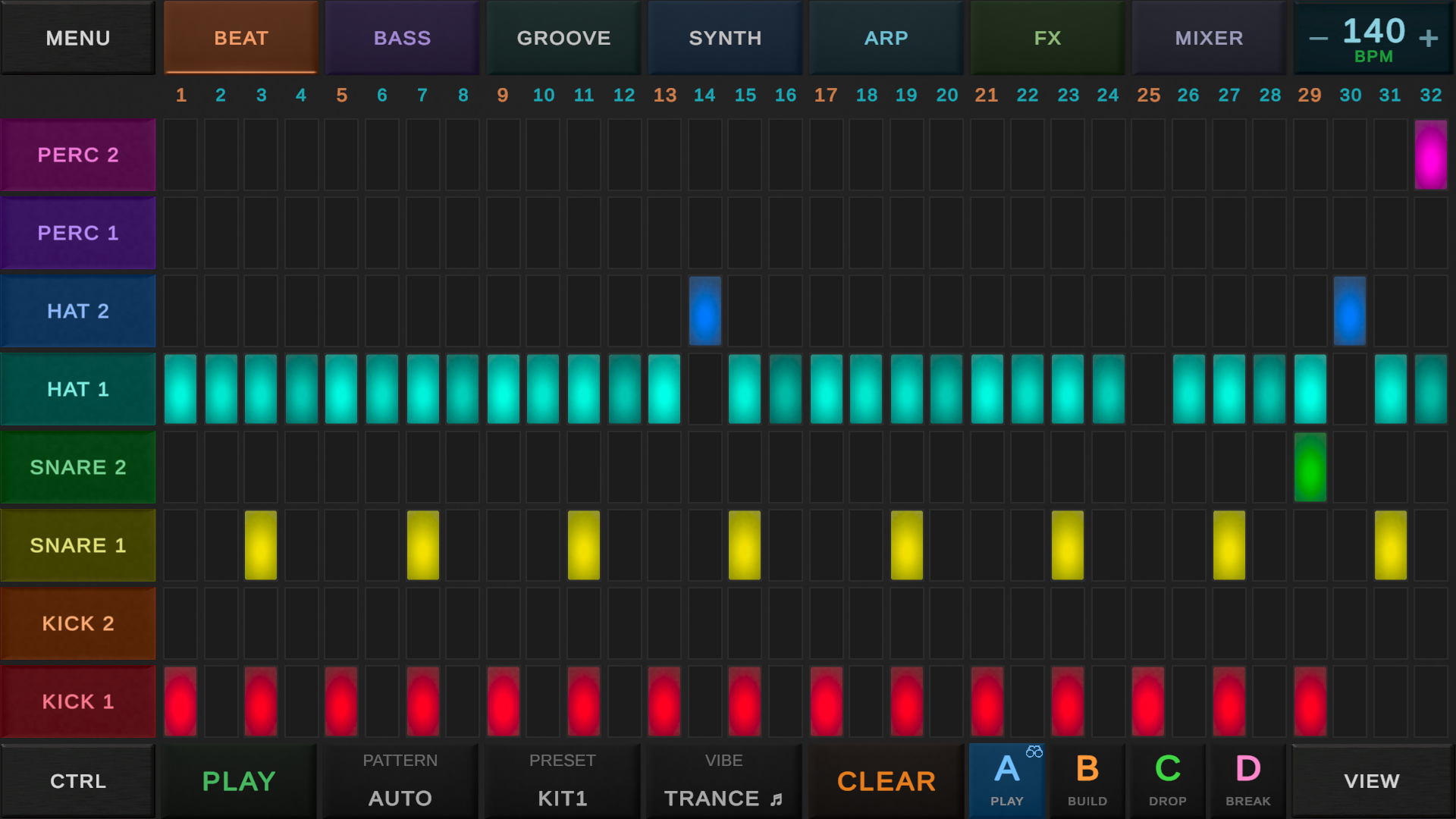
On a drum grid, columns represent time and rows represent sounds such as kick, snare and hi-hat. A melodic grid can use rows for pitch. Some hardware sequencers show one row of buttons and let you select the instrument separately.
16 steps, four beats, one bar
Set a 4/4 bar with one sixteenth note per step. Four steps make one beat and sixteen steps make one bar. This depends on resolution: sixteen eighth-note steps would last two bars of 4/4.
Count each group of four as 1 e & a, then 2 e & a, and so on. The main beats land on steps 1, 5, 9 and 13. Steps 3, 7, 11 and 15 fall halfway between those beats.
Build a drum pattern
Start at 120 BPM. Use the first sixteen steps and place the following hits. Each number is a step, not a beat.
| Sound | Steps to enable | What you hear |
|---|---|---|
| Kick | 1, 5, 9, 13 | Each beat |
| Snare or clap | 5, 13 | Beats two and four |
| Hi-hat | 3, 7, 11, 15 | Between beats |
Play the loop. Mute the hats, listen, then turn them back on. Move the final hat from step 15 to step 16 to hear the difference between an eighth-note offbeat and a later sixteenth-note hit.
Velocity, note length and swing
- Velocity describes how strongly a note is triggered. It can affect volume, timbre or both, depending on the instrument.
- Note length is how long a note is held. A step sets its starting position, not necessarily its duration. Some sequencers support gates, ties or notes held across several steps.
- Swing changes timing within pairs of subdivisions, often delaying the second. Controls and percentage scales vary, so compare the sound with swing off first.
- Probability, when available, sets how often a step plays. A hit at 50% may play on one repetition and be skipped on the next.
Using steps for melodies
Choose a pitched instrument and try C, E, G, E. Repeat it, then change one pitch or its timing. A scale filter restricts the available pitches, but notes in a scale can still clash with a chord or another part. Listen with the bass playing.
Step sequencer or piano roll?
A step sequencer emphasizes repeated positions in a pattern. A piano roll displays pitches against a timeline and makes note lengths easy to edit. Both can use a grid. Depending on the app, either may allow detailed timing and velocity changes.
A drum loop is often quick to enter with steps. Overlapping chords are often clearer in a piano roll.
Common questions
Is a step sequencer a drum machine?
A sequencer controls when events play. A drum machine provides drum sounds and usually includes a sequencer. A sequencer can also control a synthesizer or sampler.
Do I need a MIDI keyboard?
No. Enter the pattern with buttons, a mouse or a touchscreen. A keyboard is optional for playing or recording notes.
Why does my pattern sound twice as fast?
Check tempo and step resolution. Changing from eighth notes to sixteenth notes doubles the step rate without changing the BPM.
How do I make a longer pattern?
At sixteenth-note resolution in 4/4, 32 steps cover two bars and 64 cover four. Check the pattern length and page controls before adding notes.
Try it in DAWG
Open the beat grid, choose a drum sound and enter the example. Continue with your first beat or adding bass and other instruments.